Cut a Rock AFK & Offline Progress
How to leave Cut a Rock earning — loaded cutters, clean parking, and smart 2x AFK Speed buys.
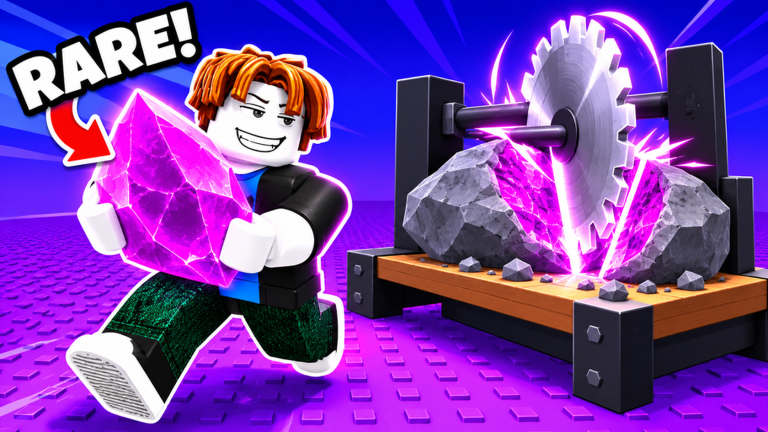
Cut a Rock rewards players who leave the mine set up correctly. Duality Works markets machines that keep cutting while you are away, and Power gain continues in some form during offline or AFK time. This guide is the full AFK and offline playbook: what still runs, what dies the moment you walk away, how permanent 2x AFK Speed fits the Robux ladder, and how to stay polite on six-player servers.
If you are brand new, skim How to Play first. Pair this page with the checklists on Tools, the spend math on Robux Budget, and Power theory on Power & Anvils.
What keeps working while you are away
Two systems matter when the client is idle or you fully log out:
- Cutters keep processing rocks you already loaded. Empty machines produce nothing.
- Power can continue in a limited offline or AFK form, but pure idle Power is weaker than active anvil training plus passes.
Everything else is fragile. Ticket codes expire in about five minutes. Timed daily boosts do not pause for your snack. Pocket capacity does not magically expand. Anvils do not clear themselves if you face-plant on the only free trainer in a full lobby.
Treat AFK as queued machine work, not a substitute for the Cash and Power plans in Make Money and Power & Anvils.
The AFK checklist (run every logout)
Copy this until it is muscle memory:
- Claim dailies — especially Day-1 2x Money and later Day-4 / Day-7 milestones before you leave.
- Collect finished cuts with E. A completed cut that is not collected soft-locks the queue.
- Load the cutter with rocks already in Pocket. Never disconnect on an empty machine.
- Sell if Pocket is full so return materials and offline outputs have room.
- Park clear of anvils, doors, and ticket lanes so the other five players can move (Players).
- Note boost timers — ticket windows and money boosts keep ticking while you AFK.
- Redeem or abandon tickets first — do not AFK mid-ticket with a code about to expire (Codes).
When you return: collect, sell, spend on the next planned upgrade, refill the cutter, then resume floors. Event windows tracked on Latest Update can reorder step one to “grab weather stones,” then fall back to this list.
Permanent 2x boosts and AFK Speed
Four permanent doubles sit at 79 Robux each:
| Boost | Best when |
|---|---|
| 2x Money | Cash is the wall (buy this first) |
| 2x Machine Speed | Cutters are the bottleneck |
| 2x AFK Speed | You truly leave the client running often |
| 2x Power | Floors gate you more than sells |
The 249 Robux bundle buys all four and undercuts four separate 79 purchases (316). If you already own two singles, math the remainder before double-paying. Full spend order lives on Tools and Robux Budget.
2x AFK Speed only pays if your logout checklist is already clean. Doubling a broken AFK setup still yields empty cutters and blocked anvils. Buy Money first if you can only afford one permanent double.
Active training still beats pure offline Power
Anvil training is better as an active habit. Short bursts between full backpack cycles convert Power into floor breaks. Pure offline Power is a bonus layer, not a day-one breakthrough engine. Pass owners still train under the multi, then spend Power on rooms instead of hoping idle ticks alone open the mine.
If floors feel spongy after Copper, schedule keyboard anvil time. If cutters are empty every login, fix AFK setup before buying another Power product.
Tickets, boosts, and timing traps
Personal promo tickets expire in roughly five minutes. Redeem through the Ticket icon immediately, or leave the ticket for someone else — never start an AFK session while a code timer is running. Ticket Cash and Power should dump into the same upgrade plan as active play, not vanish into an uncollected cutter.
Day-1 2x Money is also a timer. Claim it, load machines, sell under the boost, then AFK only after the productive minutes are used. Leaving with an unused money window and an empty cutter is the classic waste pattern.
Six-player etiquette while AFK
Servers hold six players and VIP servers are off. Your parked avatar is part of the map:
- Do not AFK on anvils other people need.
- Do not block doors, sell stands, or ticket spawn paths.
- Prefer a quiet corner of your home or base area after Q teleport.
- Report exploiters; do not start chat wars over AFK rates.
Crowded lobby habits live on Players. Good etiquette keeps servers playable and reduces kick drama when you return.
Scripts, anti-AFK, and account risk
Some community loadstrings advertise anti-AFK helpers so the client stays “active” without input. Treat that as a risk note, not a recommendation. Third-party executors violate Roblox rules, Duality Works patches often, and ban or breakage risk stays on your account. Prefer the supported checklist on this page. If you still research automation, read the warnings on Scripts first.
Session templates
Short break (10–20 minutes): claim dailies if due, collect, load cutter, sell to free Pocket, park clear, leave.
Overnight offline: same checklist plus verify no ticket timer is live and note whether Day-1 money still has useful minutes left.
AFK Speed owner: leave the client running only after the checklist; use return time for sells and planned Cash upgrades, not random shop clicks.
Event AFK: check Latest Update — collect limited stones first, then park with a loaded cutter.
Mistakes that waste AFK time
- Logging out on an empty cutter
- Leaving finished cuts uncollected
- AFKing mid-ticket
- Parking on anvils or doorways
- Buying 2x AFK Speed before 2x Money when Cash is the real wall
- Expecting offline Power to replace active anvil passes and Copper
What to do next
Tighten Cash order with Make Money, deepen Power with Power & Anvils, keep the desk habits on Tools, and re-check shop prices on Robux Budget before every Robux click. AFK in Cut a Rock is not passive magic — it is disciplined queue management that keeps the mine earning while you are gone.
Frequently Asked Questions
Quick answers to the most common questions.
Do machines keep cutting while I am AFK or offline?
Yes. Loaded cutters keep processing rocks while you are away. Always collect finished cuts with E and reload before you leave — empty machines produce nothing.
Does Power increase while I am offline?
Power gain continues in some form offline or AFK, but pure idle Power is weaker than active anvil training plus passes. Treat offline Power as a bonus, not your main breakthrough plan.
How much is permanent 2x AFK Speed?
Permanent 2x AFK Speed costs 79 Robux, the same as 2x Money, 2x Machine Speed, and 2x Power. The bundle for all four is 249 Robux.
What is the AFK checklist before I log out?
Claim dailies, collect finished cuts with E, load the cutter, sell if Pocket is full, park clear of anvils/doors/tickets, note boost timers, and never AFK mid-ticket.
Should I use anti-AFK scripts?
No recommendation — treat anti-AFK helpers as a risk note. Third-party executors can break ToS and get accounts moderated. Prefer the supported checklist; see Scripts Hub for risk details.